Built for working musicians

Your music business,
organised.

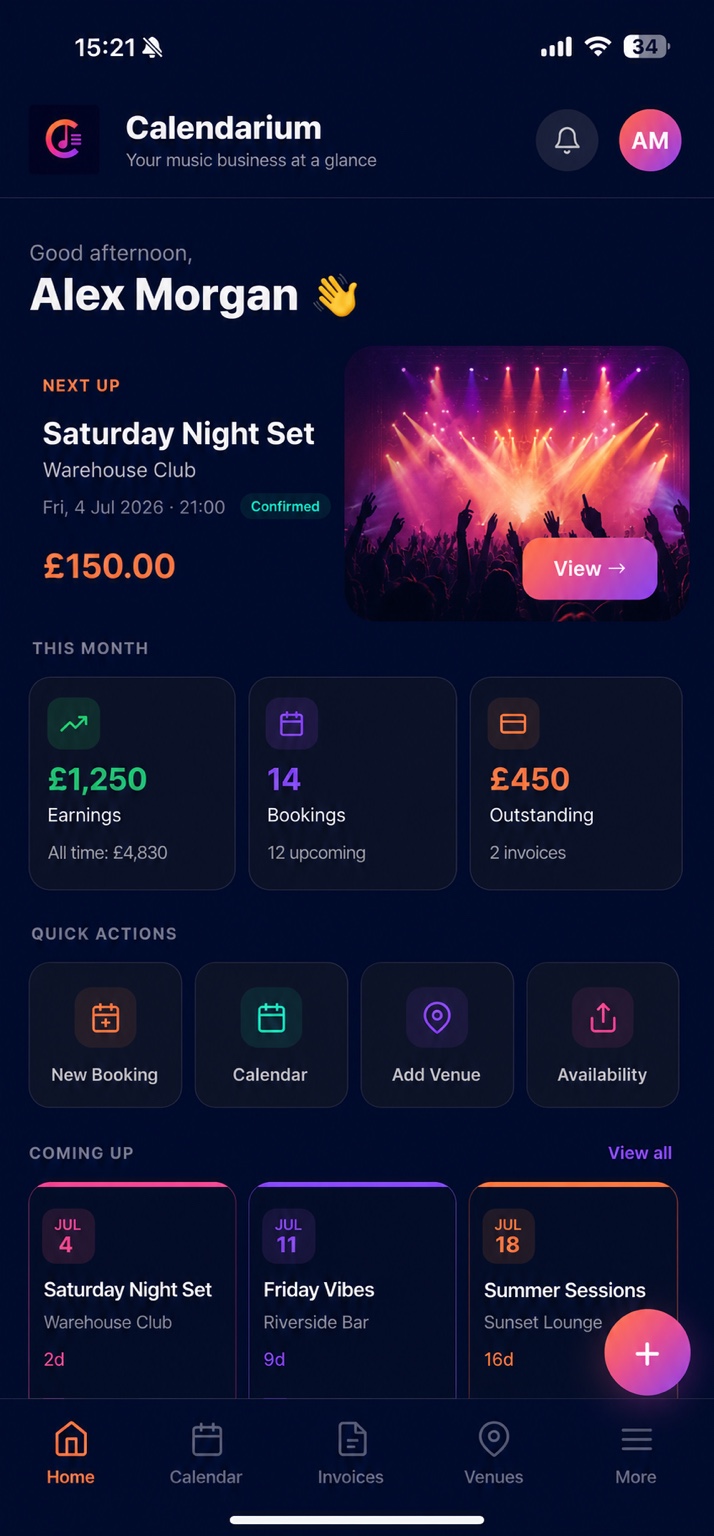
Calendarium handles your bookings, invoices, and availability so you can focus on what matters — the music.

Sound familiar?

The chaos every gigging musician knows

Running your music career shouldn't mean drowning in admin. Calendarium clears the backlog.

Chasing invoices at midnight
Invoices send themselves an hour after your gig ends
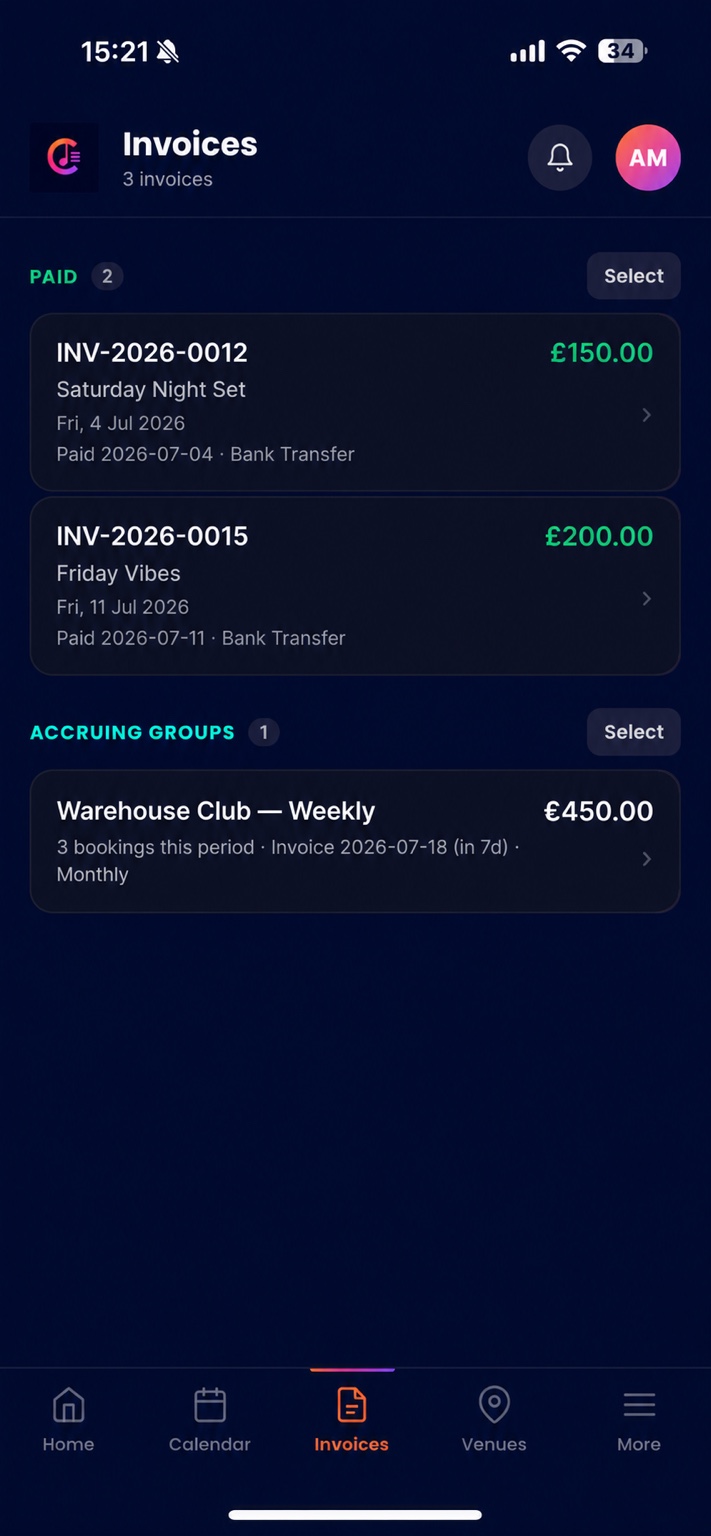
Set it once. Calendarium monitors your schedule and sends professional invoices automatically — you're already home before they arrive.
Spreadsheets, texts, sticky notes
One clean diary for every booking
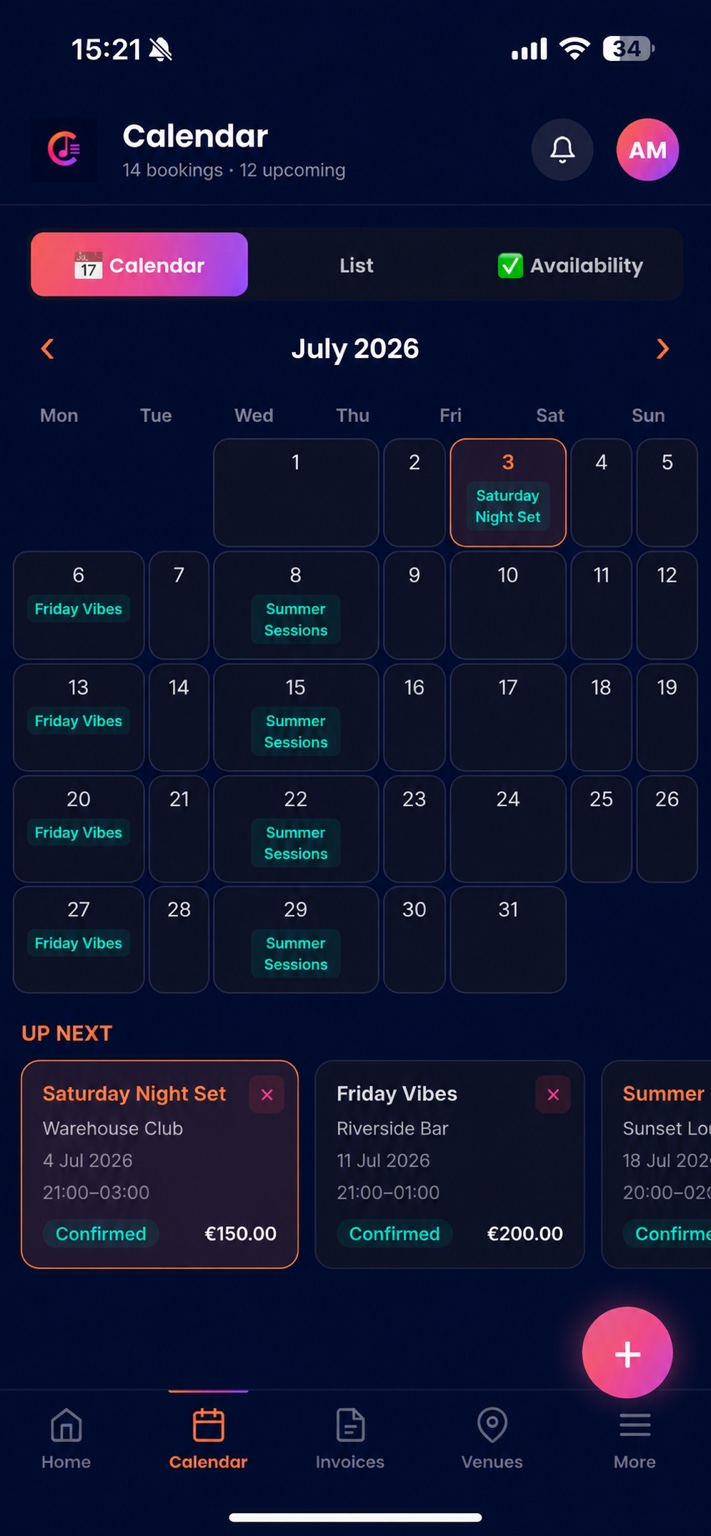
All your gigs, venues, contacts, and notes in a single place. Search, filter, and see your full schedule at a glance.
"Are you free on the 14th?"
Share your availability in seconds
Send promoters a live view of your free dates. No back-and-forth, no double-bookings, no awkward emails.
Re-typing the same invoice every week
Group invoices for residencies, automatically
Weekly residency at the same venue? Calendarium consolidates your gigs into one clean invoice, sent on schedule.
Features

Everything a working musician needs

No bloat, no complexity. Just the tools that matter for managing a gigging career.

Smart Booking Diary

Manage every gig — one-off or recurring — with full venue details, contacts, set times, fees, and payment status. Calendar and list views included.

Automated Invoicing

Invoices generate the moment you confirm a booking and send automatically — one hour after your set ends for bank transfer, or right at the end for cash gigs.

Booking Confirmations

Instantly send professional confirmation emails with your T&Cs, tech spec, and rider attached. A great first impression, every time.

Venue Management

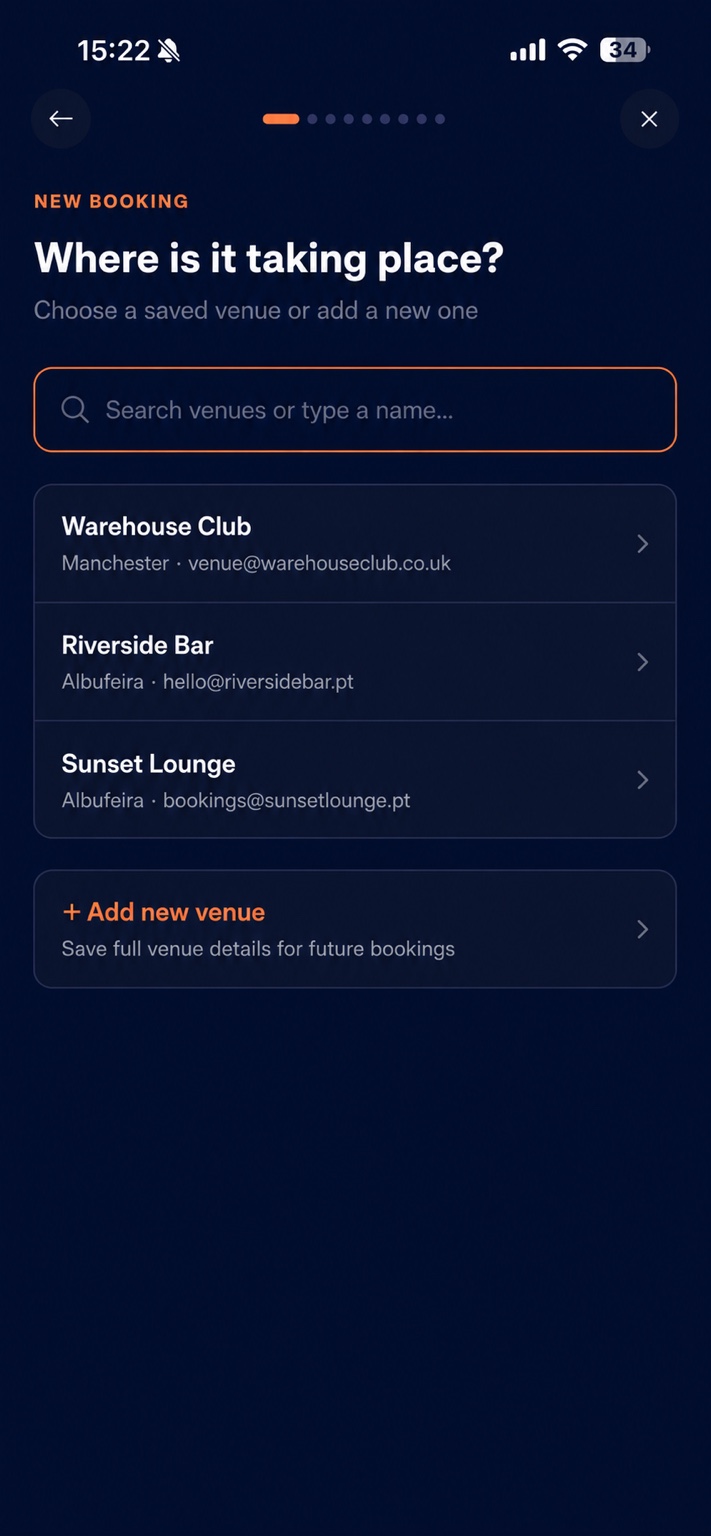
Store contacts, billing details, notes, and history for every venue you work with. The right email address for every invoice, automatically.

Group Invoicing

For weekly residencies or regular slots, Calendarium consolidates all gigs at a venue into one invoice per period. Set it up once, runs forever.

Availability Sharing

Set your available days and times, then share a live link with promoters and agencies. When you book a gig, your availability updates in real time.

How it works

Up and running in minutes

No training required. If you can fill in a form, you can run your booking diary on Calendarium.

1

Set up your profile

Add your business name, bank details, payment terms, and upload your T&Cs or rider once. Every invoice and confirmation email is built from this automatically.

2

Add your venues

Store the contact name, billing email, and address for every venue you work with. Calendarium uses the right details for every invoice without you thinking about it.

3

Book a gig in seconds

Walk through the booking wizard — venue, date, fee, payment method. Confirm and Calendarium sends the booking confirmation, creates the invoice, and schedules the send.

4

Get paid, automatically

Your invoice arrives in the venue's inbox without you lifting a finger. Chase overdue payments with a single tap. Mark cash gigs as paid on the night.

FAQ

Common questions

Anything not answered here — get in touch below.

When you confirm a booking, Calendarium creates your invoice immediately and schedules it to send — one hour after your set ends for bank transfer bookings, or at the end of the event for cash gigs. A Cloud Task fires at the exact scheduled time and sends the invoice via email. You never have to think about it.
Yes — this is one of Calendarium's best features. Set up a recurring booking series for your residency and choose "Group invoicing". Calendarium automatically consolidates all your gigs at that venue each week into a single invoice, sent on your chosen date. Multiple venues, different schedules — all handled separately.
Calendarium has full timezone support. Set your profile timezone for your home country, and set the timezone on individual venues for international gigs. Invoice scheduling always uses the correct local time — so your Ibiza gig invoices at Ibiza time, your Manchester gig at UK time.
Yes. Upload your T&Cs, tech spec, and rider PDFs once in Settings. They're automatically attached to every booking confirmation email you send. Update them any time and all future confirmations use the new version.
Calendarium runs on Google Firebase, one of the most trusted cloud platforms in the world. Your data is encrypted in transit and at rest. We never sell your data or share it with third parties. Each user's data is completely isolated and protected by Firebase security rules.
Calendarium is a Progressive Web App (PWA) — open it in Safari on your iPhone, tap "Add to Home Screen", and it works exactly like a native app with full offline support. No App Store download required.
Calendarium is currently in active development. Get in touch via the contact form to join the early access list and be first to know about pricing when we launch.
Get in touch

Interested in early access?

We're onboarding musicians now. Drop us a message and we'll be in touch.

Ready to clear the admin?

Join musicians already using Calendarium to run their booking business.

Open Calendarium → Get early access